




























17 Free Wi-Fi Hacks for Staying Connected on the Go
Finding reliable internet access while traveling can be challenging, whether for remote work, staying in touch with family, or managing urgent tasks. This guide presents 17 practical strategies for securing free Wi-Fi connections wherever your journey takes you, backed by recommendations from travel professionals and digital nomads who rely on these methods regularly. These tested approaches range from utilizing public spaces strategically to employing technical tools that enhance both connectivity and security.
- Deploy Travel Router to Secure Public Internet
- Buy Coffee and Request Login Permission Politely
- Rotate Disposable Numbers for OTP Entry
- Enable Phone Hotspot with Strong Data Plan
- Schedule Work around Airport Lounge Bandwidth
- Maintain Curated Map of Trusted Connection Points
- Exploit Chain Lobby Credentials across Locations
- Target Branches near Recovery Venues
- Leverage Apartment Amenity Spaces for Speed
- Arrange Nearby Merchant Partnerships for Access
- Employ Signal Finder Apps with Backup
- Redeem Trial Passes at Shared Offices
- Seek Civic Hubs and Terminals
- Show University ID at Cultural Institutions
- Visit Neighborhood Cafes and Ask for Password
- Prefer Regional Beverage Brands Overseas
- Tap Business Centers during Off Hours
Deploy Travel Router to Secure Public Internet
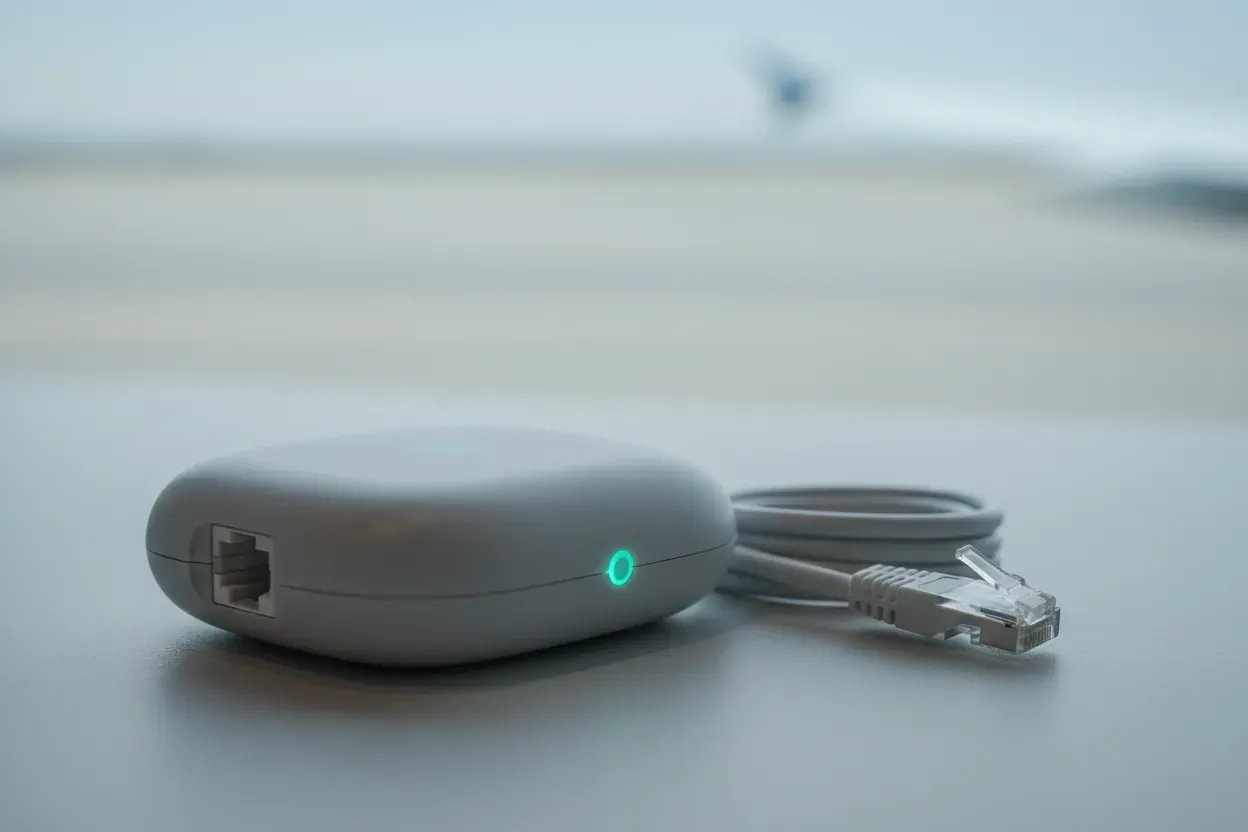
I have a small travel router that makes public Wi-Fi safer and still legal. I will then connect the router like a standard user, get through the Wi-Fi sign-in if the network is asking for it, and after that, both my phone and laptop will be logged in on my own private router network (so I don’t need to log in on each device). (If a hotel or cafe chain uses the same official Wi-Fi in multiple locations, my router can also reconnect that much sooner if it’s allowed.) I look for real public hotspots with trusted apps, and I try to register on city/tourist Wi-Fi before I arrive so the login is prepared. As for safety, I always use a VPN and access only secure websites (those with HTTPS), and it has helped me stay connected while scouting trips in Mexico City, Cusco, and Lisbon to avoid spending on extra-high roaming rates.

Buy Coffee and Request Login Permission Politely
I’m Lachlan Brown, a mindfulness-focused psychologist and frequent traveler for writing retreats and workshops. I don’t love complicated travel hacks, but there’s one very ordinary habit that has saved me dozens of times.
Whenever I’m in a new city and need Wi-Fi, I step into the lobby cafe of a mid-range business hotel – the kind you can enter without passing a front desk. I order a coffee or a bottle of water, sit down, and politely ask if I can use the Wi-Fi while I’m there. I’ve never had a hotel say no, whether in Europe, Vietnam, Thailand, or Spain. Business hotels expect people to work from the lobby, so the network is almost always strong and stable.
It’s such a small thing, but it completely changes the tone of travel. Instead of standing on a street corner hunting for a signal or draining my data, I’m sitting in a quiet space with air-conditioning, decent light, and a moment to breathe. Half the time I end up planning the rest of my day right there.
If there’s one lesson in it, sometimes the best travel hacks are just small acts of courtesy that open up a calmer space to think.
Thanks for considering my insights!
Cheers,
Lachlan Brown
Mindfulness Expert | Co-founder, The Considered Man
https://theconsideredman.org/
My book ‘Hidden Secrets of Buddhism’: https://www.amazon.com/dp/B0BD15Q9WF/

Rotate Disposable Numbers for OTP Entry
Traveling constantly between offices, client meets, and remote sites means reliable internet access is non-negotiable, but data roaming kills budgets fast. My go-to strategy for free WiFi anywhere? Cycling temporary disposable phone numbers for OTP-limited public hotspots.
Most airports, malls, cafes, and hotels in India offer free WiFi but cap sessions at 30-60 minutes requiring SMS verification. Instead of burning through personal numbers or paying for data, use free online services generating fresh Indian mobile numbers on-demand.
Here’s how the full workflow plays out seamlessly: Scan for open networks (airport “Free WiFi,” hotel guest access, cafe hotspots). Connect, enter a temp number from sites like receive-sms-free.cc or sms-online.co when prompted.
Check the live OTP feed on the same site instantly, input it, and boom, full-speed session unlocked. When time expires, generate new number, repeat indefinitely. Zero carrier dependency, unlimited total access.
Layer essential safety:
VPN always active (ProtonVPN free tier works fine) since public networks expose traffic to sniffers. Test 2-3 temp sites pre-travel, bookmark them. Handles Delhi T3 marathons, Mumbai domestic waits, or roadside dhabas equally well.
Founders waste hours hunting signal: this owns connectivity anywhere. Scales perfectly for multi-leg trips without single data rupee spent.

Enable Phone Hotspot with Strong Data Plan
After introducing tech to Spanish-language TV and working remotely for over 10 years, I’ve learned that the best Wi-Fi “hack” isn’t finding free networks–it’s creating a mobile hotspot from your phone and using Google’s VPN feature if you have a Pixel, or downloading a VPN app for any other phone. I pay around $50/month for unlimited data, which sounds like a lot until you realize you’re getting secure internet anywhere without the headache of login screens or terrible speeds.
Here’s what nobody tells you: those “free” airport and hotel networks aren’t just slow–they’re configured on channels that are shared with hundreds of other people, just like I explained in my Wi-Fi guide during the pandemic. I’ve tested this at airports using WiFi Analyzer on my Android, and the congestion is insane. Your phone’s connection to the cell tower is almost always faster and definitely more private.
When I was traveling for speaking engagements and presenting at Cisco events, I’d see people struggling with airport Wi-Fi for 20 minutes while I was already on my video call using my hotspot. The real hack is paying for good phone data and forgetting about “free” Wi-Fi completely–your time and security are worth way more than saving $30 a month.

Schedule Work around Airport Lounge Bandwidth
My most reliable travel hack for free Wi-Fi is to use airport lounges and major transit hubs wisely, even if I’m not flying premium. Many airports have pay-per-entry lounges, and some allow access through basic travel cards, loyalty programs, or one-time passes that cost much less than roaming data over several days.
Once inside, the Wi-Fi is usually fast, stable, and secure compared to public terminal networks. I schedule important tasks like video calls, file uploads, or work that needs VPN access around these stops. Even one productive hour in a lounge can remove the need to buy local data or deal with unreliable hotel connections later.
Outside airports, I prefer well-known coworking chains and large hotel lobbies instead of random cafes. These places often have better infrastructure and fewer security risks. I also download offline maps and documents in advance, so Wi-Fi becomes a productivity boost instead of a necessity.
This strategy works because it focuses on reliability over convenience. Free Wi-Fi is only helpful if it is secure and fast enough to trust. Choosing the right locations makes all the difference when traveling often.

Maintain Curated Map of Trusted Connection Points
I keep a running list of public Wi-Fi spots that are actually reliable and secure, like certain libraries or municipal buildings. This saves me from having to use a random, sketchy network. Before I head to a new part of town, I save a couple of these locations to my phone. That way, I’ve always got a solid backup connection if I need it.

Exploit Chain Lobby Credentials across Locations
My favorite travel hack for getting free Wi-Fi while I am running Co-Wear LLC remotely is not a technical trick; it is just being a creature of habit at major chain hotels. It has worked for me on trips all over the world.
The strategy is simple: I never actually stay in the hotel. I find a large, recognizable chain—like a Hilton or a Marriott—because they always have a big, open lobby and a quiet seating area near the elevators or business center. I just walk right in, sit down like I belong there, and start working. I never ask for the Wi-Fi code.
The trick is that the guest Wi-Fi password is often the same for days, maybe even weeks, at the entire hotel brand or regional location. Once I get the password from a quick coffee purchase at their lobby cafe, I save it. Then, for the rest of my time in that city, I just walk into any of the same-brand hotels, and I am instantly connected. It saves time, saves money, and gives me a quiet, professional place to keep up with my business purpose without spending a dime on a connection.

Target Branches near Recovery Venues
When I was active in my alcoholism, I barely left the house before noon, let alone travel. Now nine years sober and running The Freedom Room across Brisbane, I’m constantly moving between client sessions, workshops, and community meetings–and I’ve learned to work from absolutely anywhere.
My best strategy is using local library Wi-Fi, but here’s the twist: I specifically map out libraries near recovery meeting locations. When I travel for conferences or visit other cities, I’ll find an AA meeting venue first, then check what library is within walking distance. Libraries in Australia have brilliant internet, zero purchase required, and the quiet atmosphere helps me focus on writing client notes or preparing session materials between appointments.
I found this accidentally during early recovery when I couldn’t afford mobile data and needed to research rehab options online. The State Library of Queensland became my office while I was rebuilding my life, and I still use this approach today. Last month in Sydney for an addiction counselling conference, I worked from Darlinghurst Library for two hours before an evening meeting–uploaded three client treatment plans and responded to urgent inquiries without spending a cent.
The bonus is libraries often have community noticeboards advertising local support groups, which helps me connect clients with resources when they’re traveling or relocating. It’s become part of how I scout new cities for recovery infrastructure.

Leverage Apartment Amenity Spaces for Speed
My travel hack is actually using my apartment properties’ amenity spaces as remote work hubs when I’m visiting different cities in our portfolio. At The Wilmore in Chicago, we have a lobby lounge with solid Wi-Fi that I’ll use when I’m checking in on properties. Same goes for our Minneapolis and San Diego locations–they’re essentially co-working spaces I already have access to.
When I was rolling out our video tour strategy across cities, I’d film content during site visits and upload everything from the property lounges instead of hotel networks. Cut my upload time by about 40% compared to hotel Wi-Fi, and I could grab feedback from onsite teams in real-time. Our roof deck at The Wilmore became my favorite spot to take video calls with vendors while getting actual Chicago skyline views.
The real trick is mapping out apartment buildings with quality common areas before you travel. Most newer multifamily properties now have resident lounges with enterprise-grade internet because remote work is a major selling point. If you know someone who lives in a building with good amenities, that’s your jackpot–way better connectivity than any coffee shop.

Arrange Nearby Merchant Partnerships for Access
Here’s a trick we figured out at Camping Les Saules. We made a deal with the corner cafe and the bookstore. Our campers use their Wi-Fi, and we send more customers their way. This setup worked better than anything else we tried. People stay online and the local shops get busier. If you need internet, just go talk to the shop owner next door.

Employ Signal Finder Apps with Backup
One travel hack I rely on is using apps like WiFi Map to find free hotspots wherever I go. I first tried it during a trip while managing Estorytellers projects remotely. Instead of hunting for cafes or guessing passwords, the app showed verified networks nearby, often with shared passwords from other travelers.
I combine this with a backup strategy: I carry a small portable hotspot device. If a free network isn’t secure or stable, I switch instantly. This keeps work smooth when I need to check emails, share documents, or update social posts.
The key is preparation. I always check the app before arriving in a new area and save a few reliable networks in advance. This simple combination of free networks and a backup keeps me productive, reduces mobile data costs, and lets me focus on enjoying the trip without interruptions.

Redeem Trial Passes at Shared Offices
When I need fast Wi-Fi, I hit up coworking spaces with trial passes. They’re way more reliable than coffee shops, which matters when I’m testing heavy AI models for Fotoria. Last month, I got into a city late, found a local spot online, and pushed a feature update right away. Just look for community promos – they’re usually cool with travelers who need a few hours of decent internet.

Seek Civic Hubs and Terminals
I always hit up public libraries or transit hubs for Wi-Fi. It’s not just free; it’s usually surprisingly reliable. I once took a whole client call from the library steps in Paris. Even smaller airports have decent connections now, so I’ll plan my breaks around them. I still download offline maps ahead of time, though, since you never know how a new city’s network will be.

Show University ID at Cultural Institutions
Here’s something that saves me every time I travel for work. As an academic director, I’ve found that showing my university ID at language schools or cultural centers gets me Wi-Fi in cities across Asia and Europe. It’s been a lifesaver for lesson planning on the fly, and I always end up meeting other teachers who share the best local advice. Before you go, ask your institution if they have any partnerships like that. It’s worth checking.

Visit Neighborhood Cafes and Ask for Password
When I need Wi-Fi on the road, I just find a local coffee shop. I’ll buy a coffee and ask for the password, and they always hand it over. This trick has never failed me, especially driving between mountain resorts. I can check my emails or maps without burning through my phone data, which is a lifesaver.

Prefer Regional Beverage Brands Overseas
I travel internationally a lot–exploring new countries is one of my favorite things when I’m not in the courtroom–and the best hack I’ve found is **coffee chains in foreign countries**. Not Starbucks necessarily, but whatever the local equivalent is (like Costa in the UK or Tim Hortons in Canada).
Here’s why it works: they always have Wi-Fi, you can nurse a $3 coffee for hours without anyone bothering you, and unlike hotels that charge you $15/day, these spots are designed for people to hang out. I’ve prepped for depositions from a cafe in Barcelona and reviewed settlement demands from one in Amsterdam.
The other move is **asking your Airbnb host before you book**. I straight up message them: “What’s your actual Wi-Fi speed?” Most will run a speed test and send you a screenshot if you ask. I’ve avoided so many frustrating stays this way, especially in smaller cities where “Wi-Fi included” can mean dial-up speeds that won’t even load a PDF.

Tap Business Centers during Off Hours
I’ve traveled for decades between law offices, accounting firms, and client meetings–back when I worked at Arthur Andersen and through 40 years running my own practices. My go-to hack is hotel business centers, but not as a guest. Most hotels let anyone walk in and use their business center Wi-Fi if you act like you belong there, and the connection is enterprise-grade because they need it for conferences.
The trick I learned from my investment advisor days is timing it right–go during off-hours (early morning or late afternoon) when actual guests aren’t using it. I’ve handled sensitive CPA client calls and reviewed estate planning documents on these connections for 20+ years without issue. Way more secure than Starbucks, and the speeds are built for business video calls.
Another strategy from my coaching practice: I keep relationships with three local CPAs and attorneys in different parts of town. When I need reliable internet urgently, I can pop into any of their offices briefly. We trade the favor–they use my conference room when they need it. It’s essentially a free co-working arrangement that costs nothing but maintains professional relationships.